
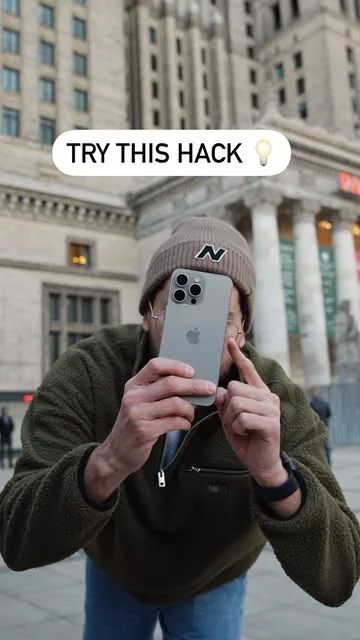
Keywords: Georgy Romelashvili, iPhone timelapse, phone video tutorial, motion blur, Kodak LUT, iPhone video tips, Instagram Reel
View the original post on Instagram →
Comments Overview
- 526,688 likes on the original post
- 787 comments on the original post
- 100 comment(s) sampled for this analysis
- Dominant sentiment: Mixed
The reaction is mostly enthusiastic, with many commenters praising the look and saying they plan to try the technique. Others questioned how motion blur is added, whether the method works on their iPhone, and whether calling it a “hack” is accurate.
Verified Instagram creator Georgy Romelashvili is showing iPhone users how to make a timelapse without extra equipment. His March 28, 2024 Reel invites viewers to save the tip and recreate the effect on their own phones.
What Georgy Romelashvili’s Reel shows
The post focuses on a simple phone-video workflow. In the caption, Georgy says he used the iPhone’s timelapse feature, then applied motion blur and a Kodak LUT from his LUTs collection to create the final look.
The Reel is tagged with #phonevideo, #tutorial, #tutorials, #howto, and #tips. The post has received 526,688 likes and 787 comments.
What people are saying
Many commenters responded positively to the polished result. Some called the tip impressive, while others said they saved it or planned to try it. One commenter also reported that the method worked for them.
I did it . It workstravis_daniel
Love the motion blur effect, makes it look like those fancy hyperlapse videos! How did you set that up exactly?miriamdaniel111
Questions centered on the editing process and device compatibility. Viewers asked how to apply motion blur, whether the technique works on older iPhone models, and how to keep the footage stable. A few commenters also pushed back on the wording of the caption or criticized the reliance on effects.
How do you add the motion blur to the Final Cut? Or was that shot a totally different way?kyle.bodenham
Didn’t hack anything… it’s built into the OS!chris_ren27
A quick phone-video idea
Georgy’s Reel presents a compact way to experiment with iPhone timelapses and post-production effects. The comments suggest the idea connected with viewers, while also showing that the exact steps and supported devices were key points of interest.